
Turn waiting times into
an efficient routine.
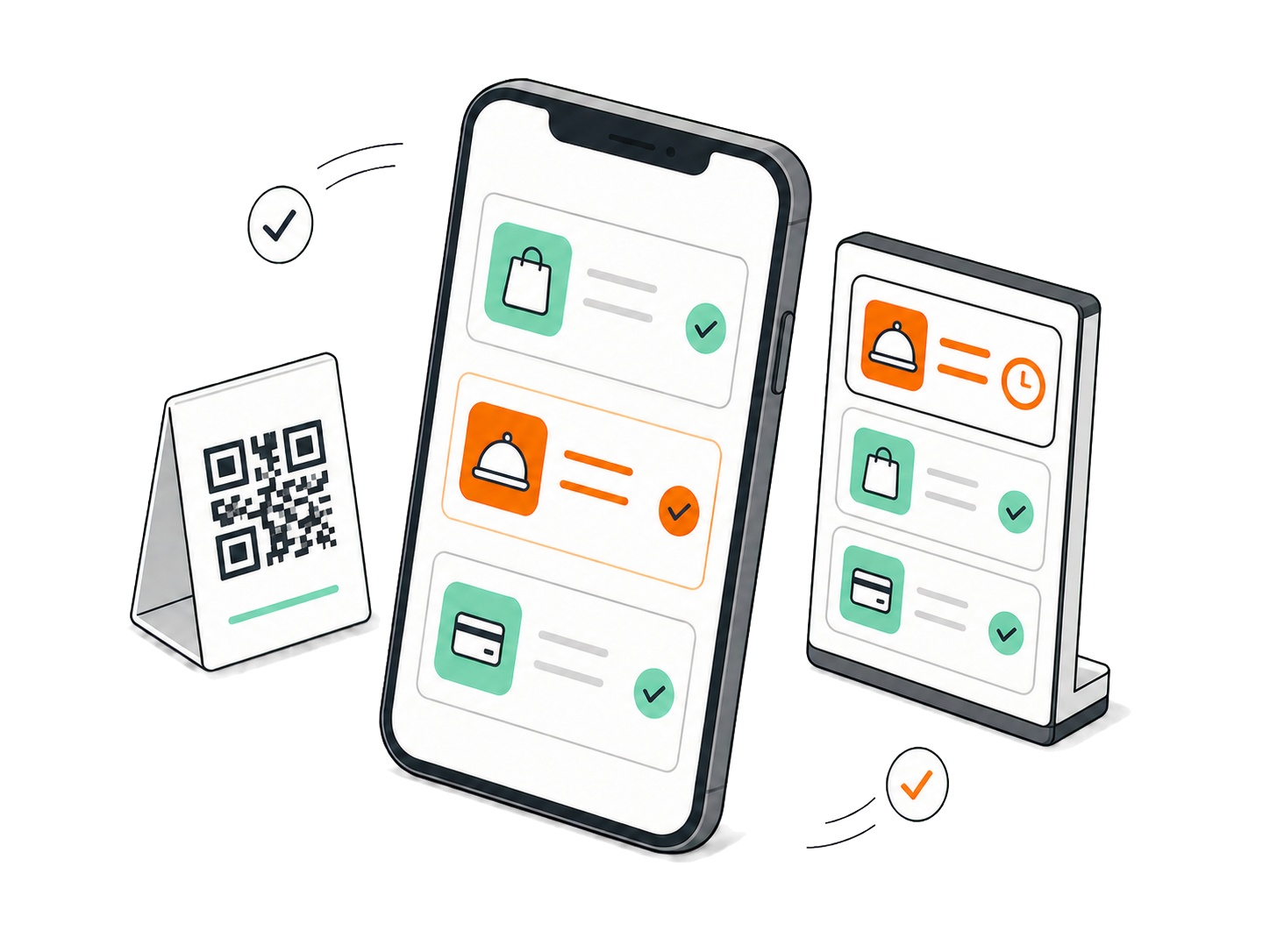
Guests scan the QR code at their seat, order and pay themselves. Your kitchen sees every order live, without paper tickets or shouted requests.
Built around the way
your venue actually runs
From the scan at the table through the kitchen to the reports. In the order things happen at your place.
Mobile-first ordering menu
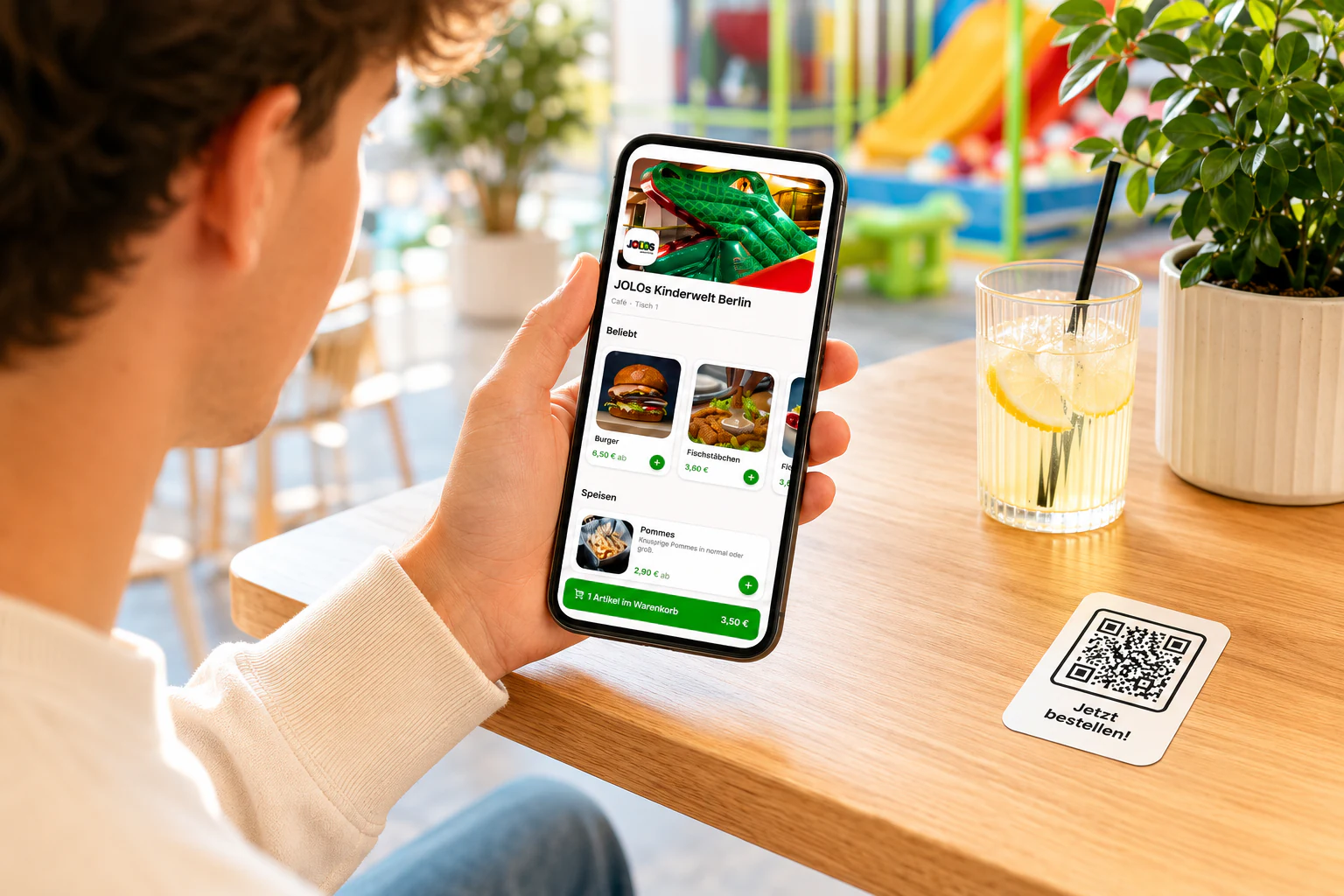
Guests order right from their seat, no app and no queue. The menu carries your look and loads in seconds.
QR points per table or area
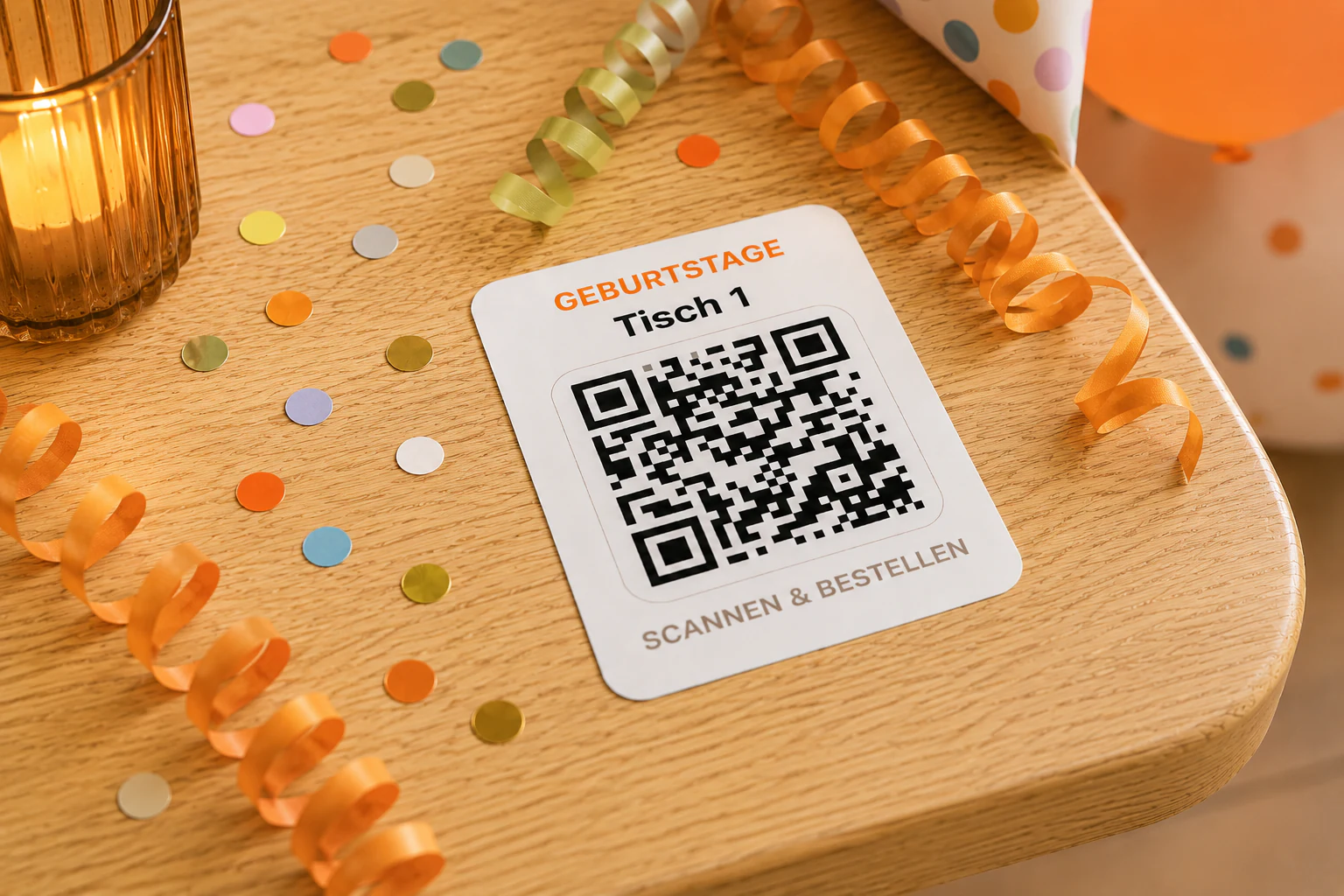
Every seat gets its own code. Each order knows where it belongs, without anyone asking for a table number.
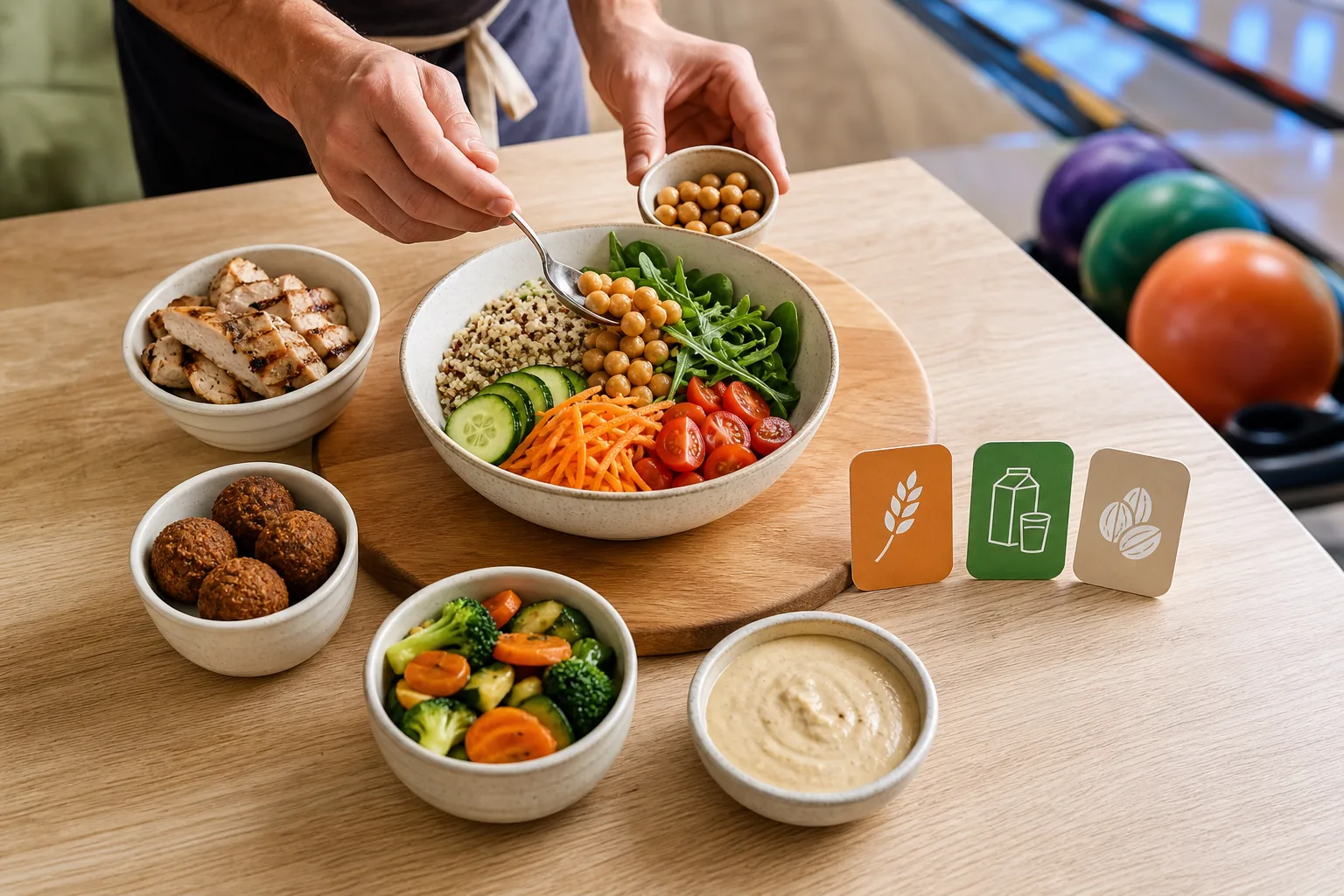
Options and allergens
Guests pick sizes, sides and special requests themselves. Allergens and additives sit on the product, as required by law.
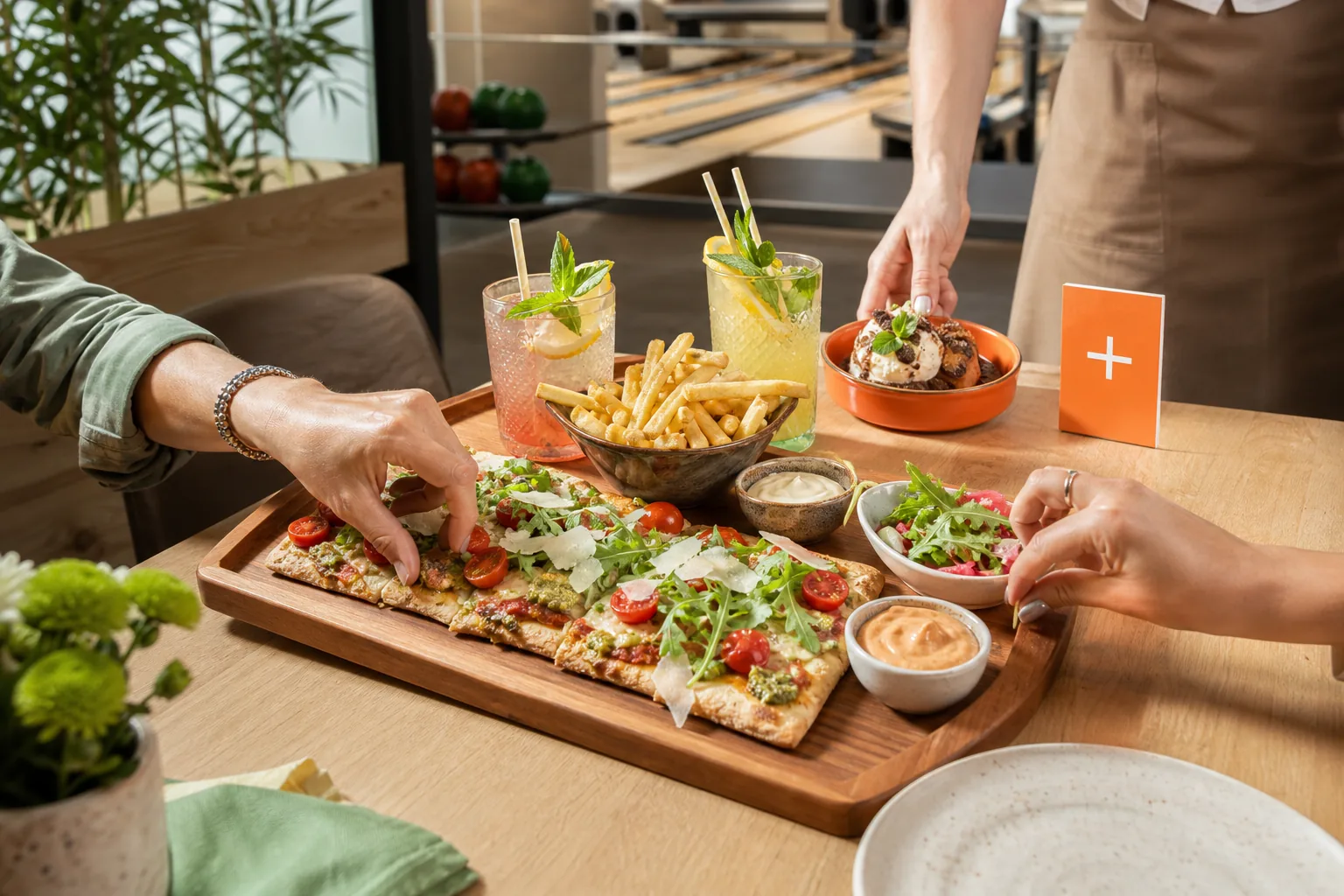
Bundles and upsells
Combine products into deals and suggest additions in the cart. The basket grows without a sales pitch.
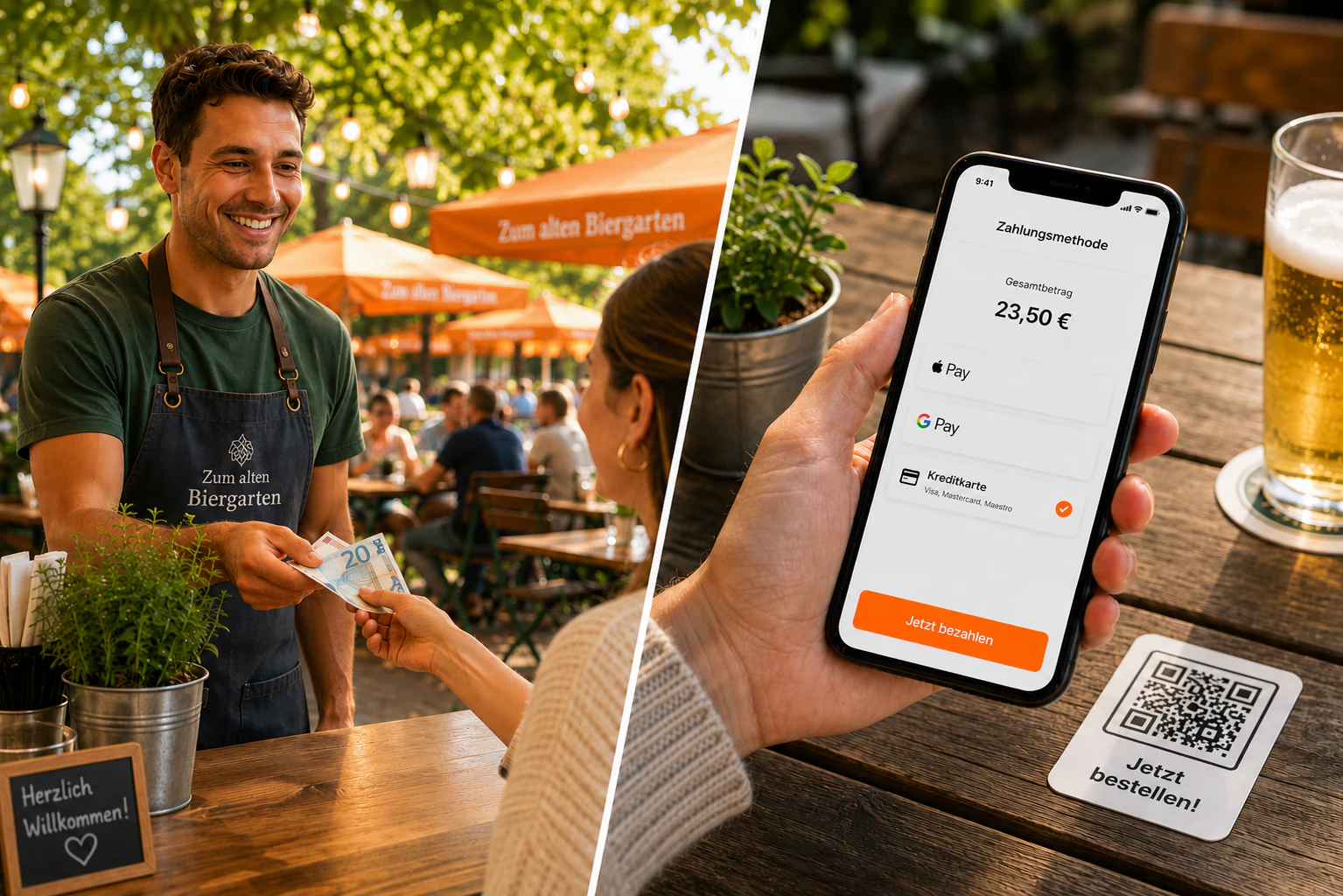
Card and cash payment
Guests pay how they like, by card or in cash. Online payments land straight in your account, with no detour.
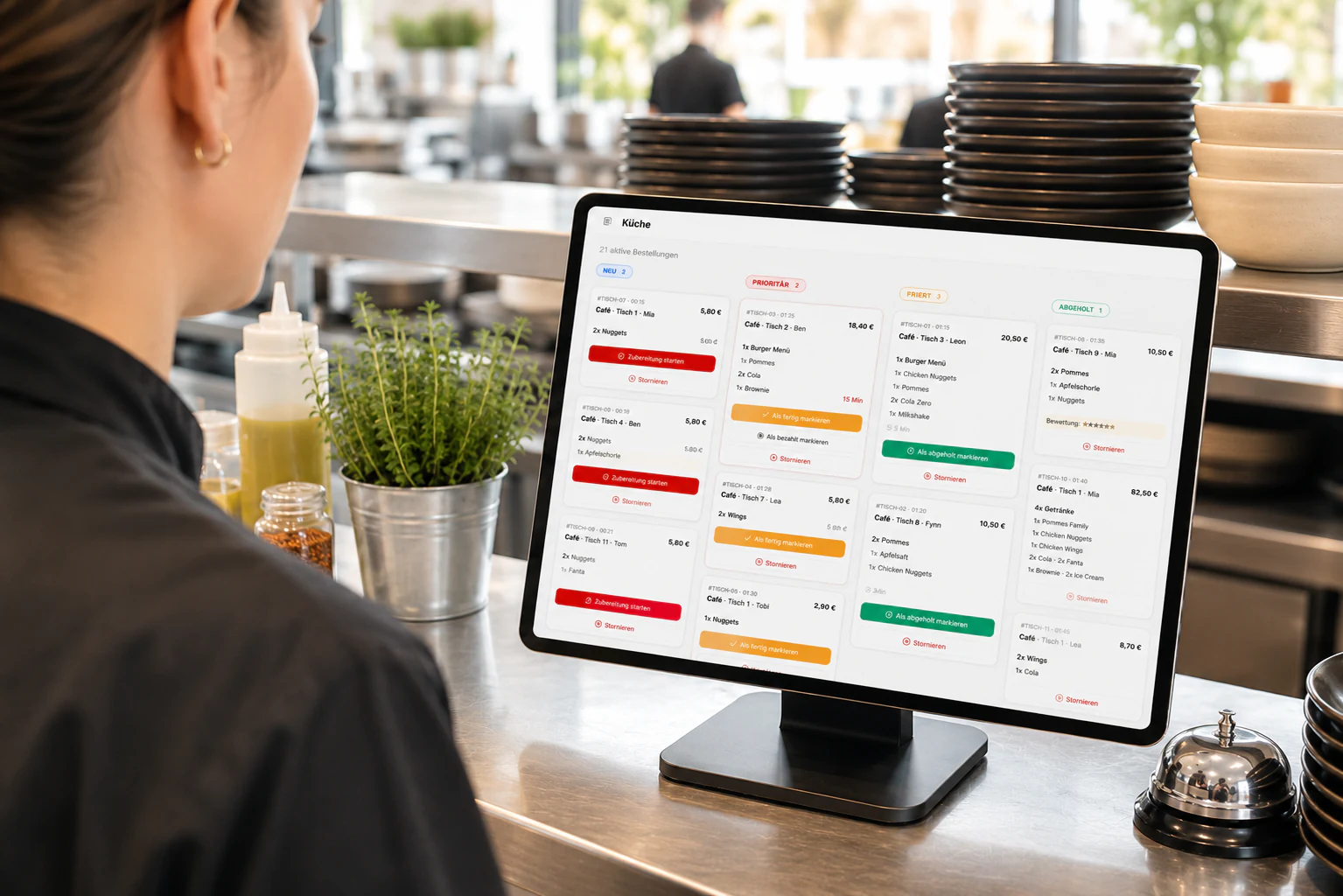
Live kitchen board
Every order reaches the kitchen instantly and is ranked by waiting time. Nothing slips through, even at peak hours.
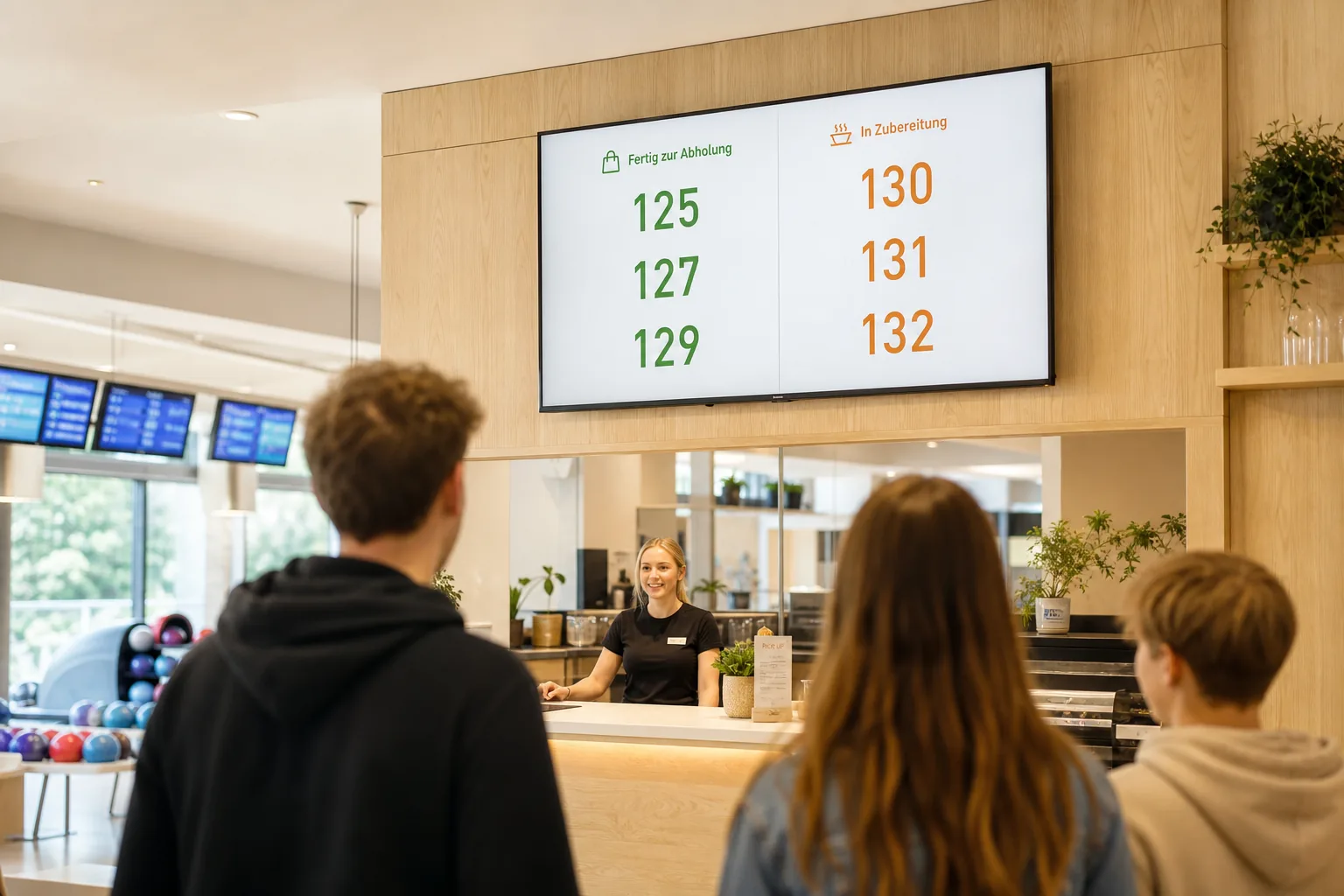
Pickup display for monitor and TV
Finished numbers appear large on any screen. Guests see for themselves when it is their turn, without being called.
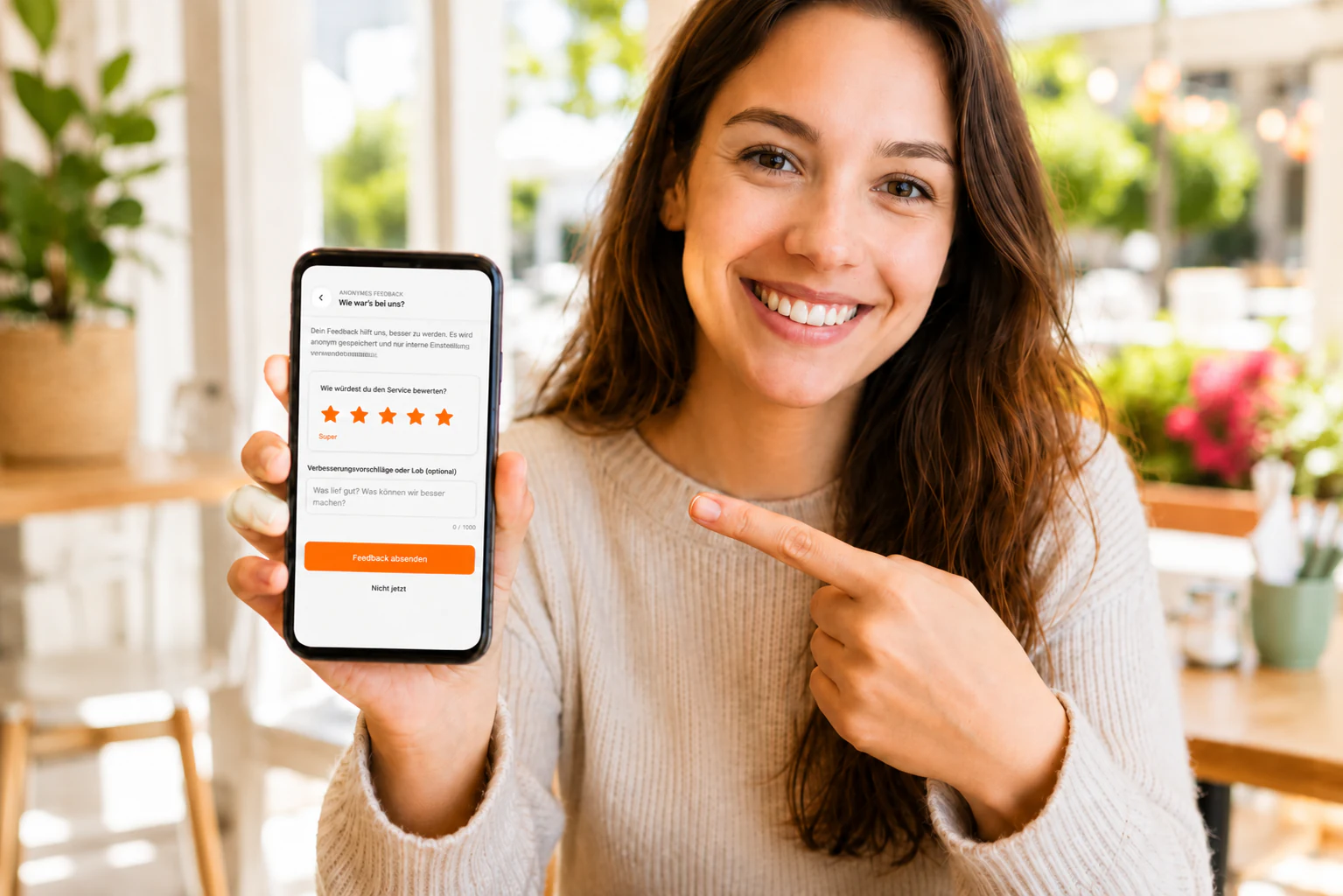
Anonymous guest feedback
Collect honest responses right after the visit and spot problems early, before they turn into a bad review.
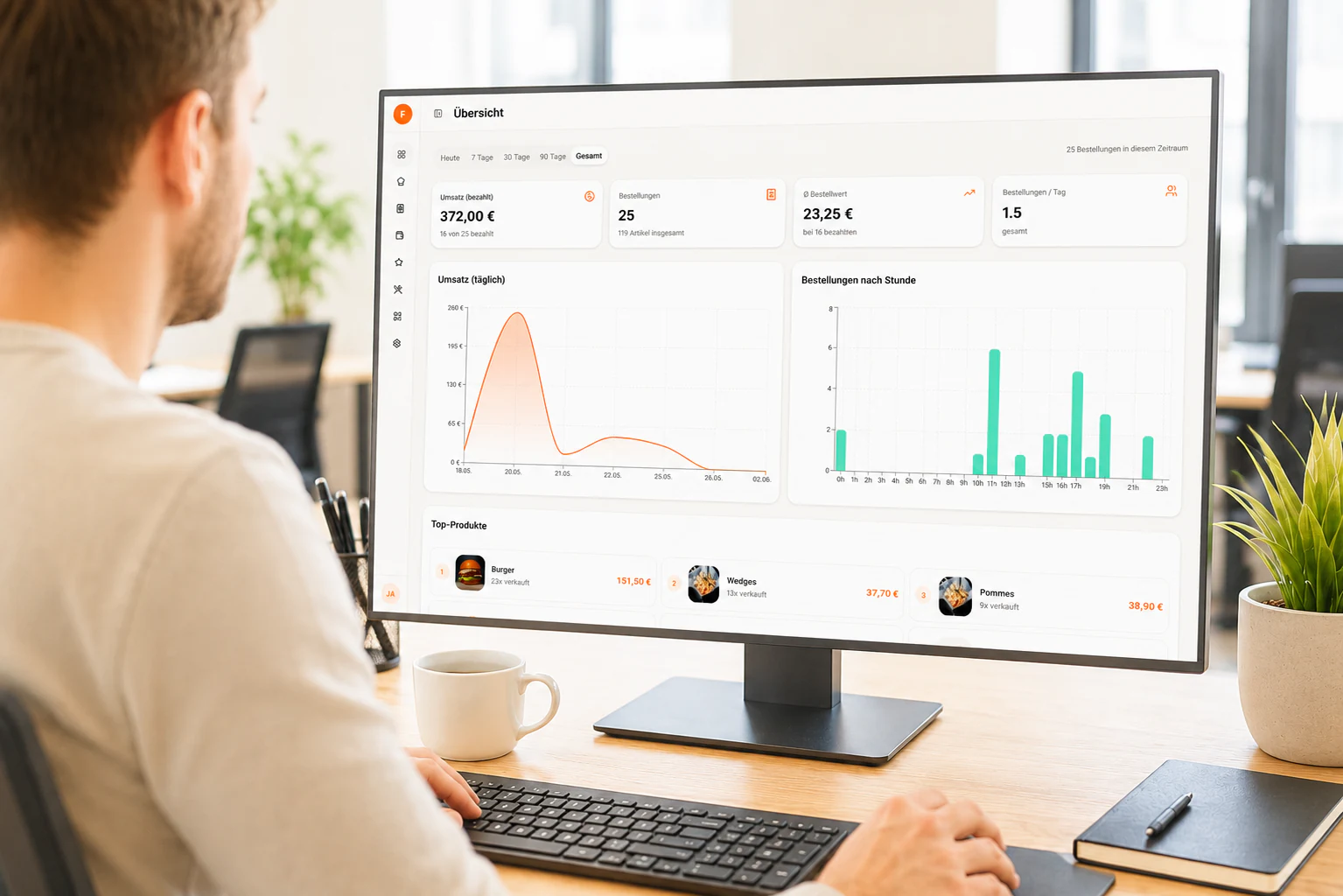
Reports and live numbers
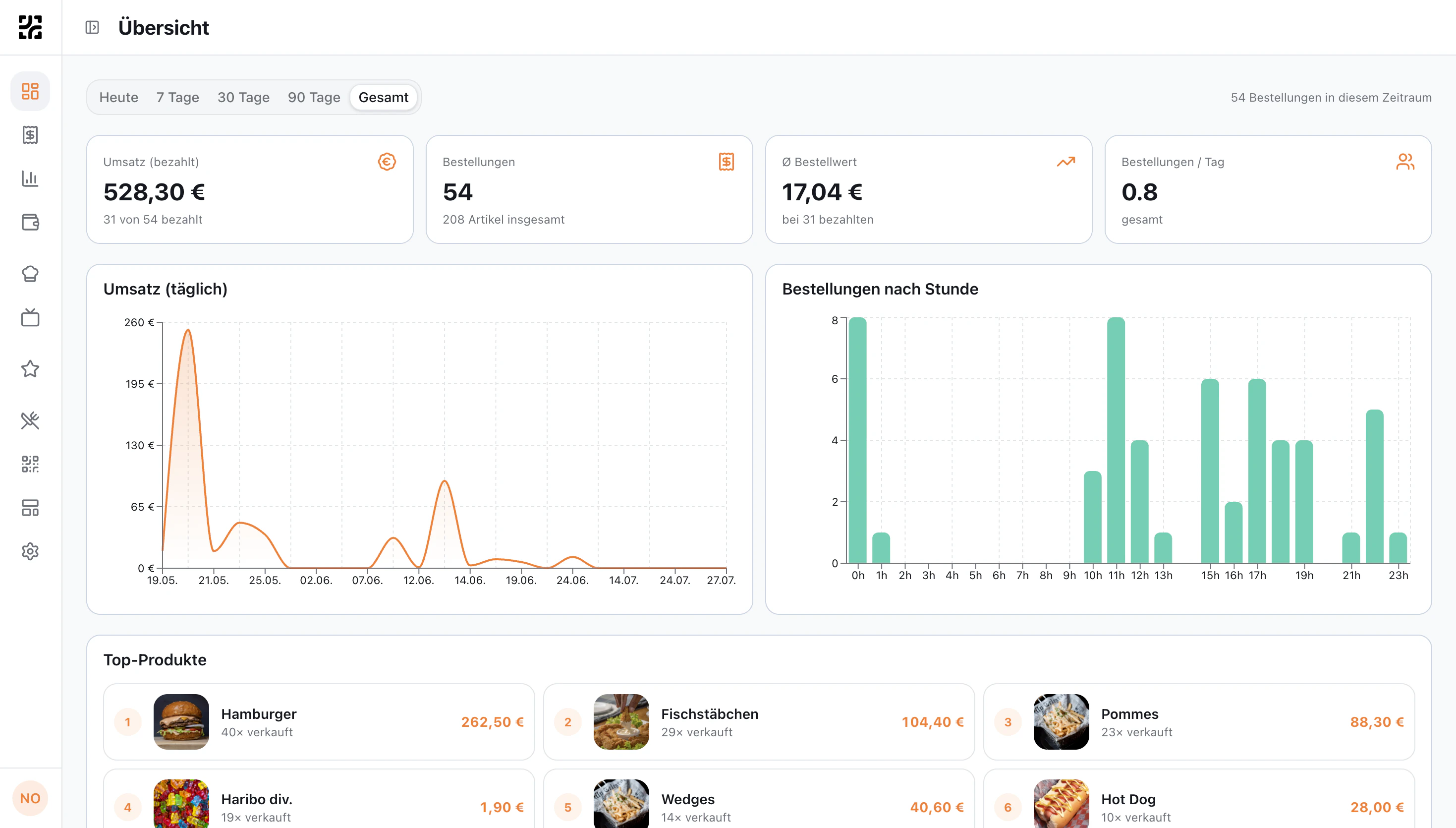
Revenue, peak hours, preparation times and every single product at a glance. As a CSV export when your bookkeeping needs it.
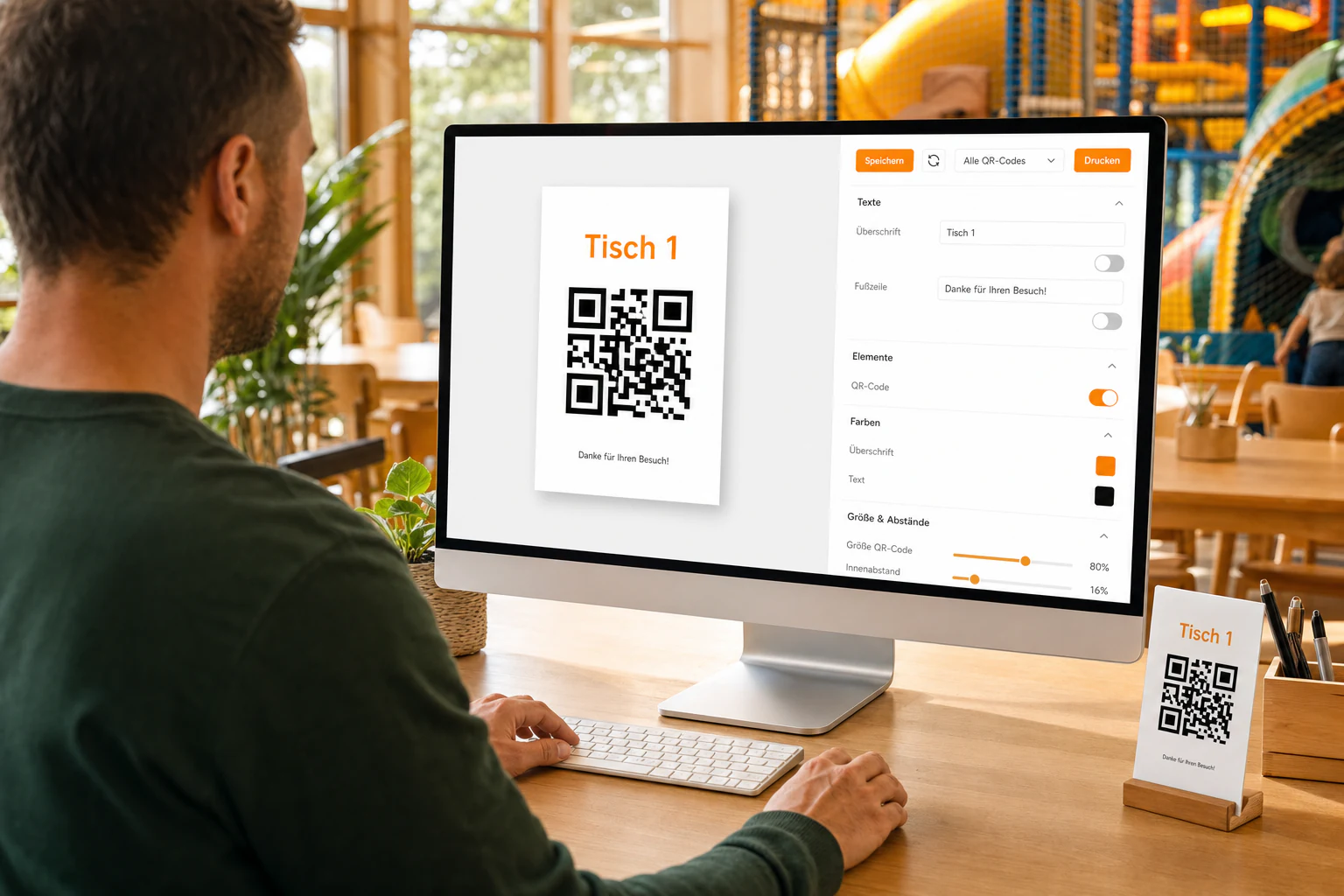
QR card designer
Design your QR stands to match the venue and print them all directly, without any external design software.
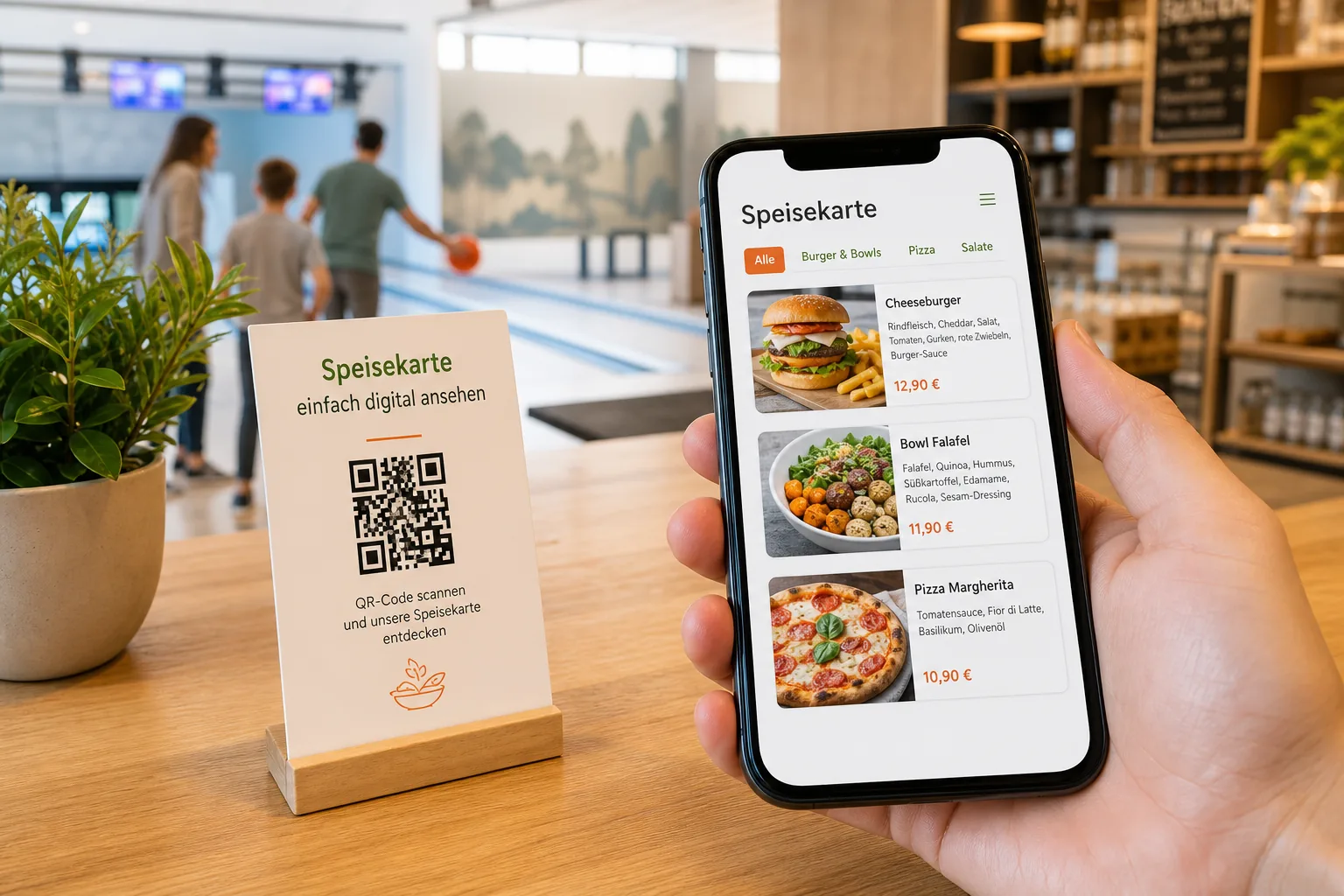
Digital menu
The menu without ordering: as a QR code at the entrance, on your website or in your Google profile. Always current, never reprinted.
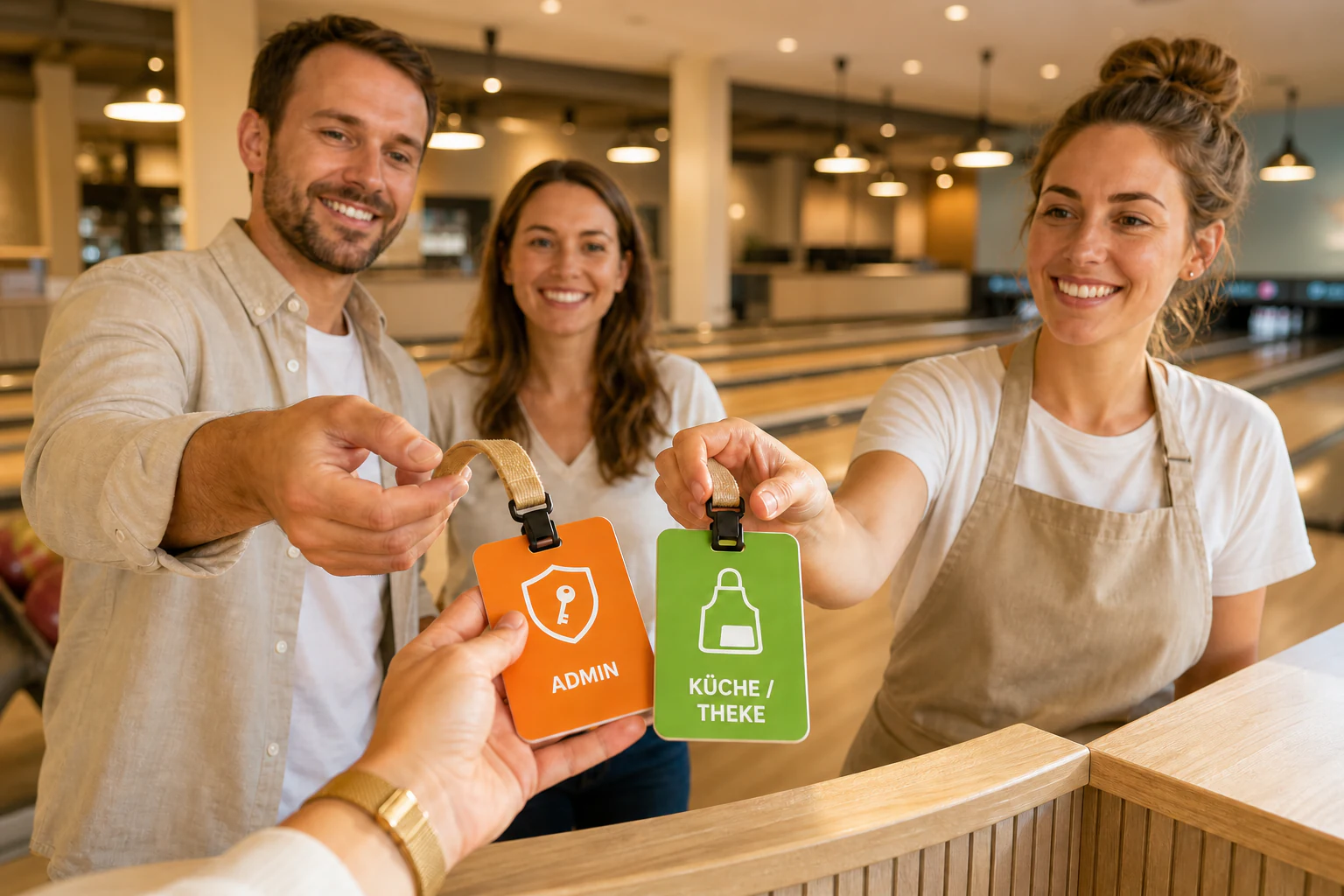
Staff and permissions
Invite your team and assign roles for management or kitchen and counter. Everyone gets exactly the access they need.
What actually changes
in day-to-day service
Less chaos at the counter, calmer shifts and a higher average spend, without hiring anyone.
Shorter queues
Orders arrive in parallel instead of piling up at the counter. The same team handles rushes that used to need four people.
Reorders that would otherwise be lost
Anyone who would have to get up and queue for a second drink simply stays with the first. Parents keep an eye on their kids, groups never interrupt their game.
Higher average spend
Bundles, upsells and appetising photos lift the basket. One more drink? That works better on screen.
Less pressure on staff
No tickets to write, nothing to explain, nothing to chase. Every order stays on the board in writing, including the one from two hours ago.
Fewer mistakes
Digital orders are unambiguous: options selected, special requests in writing, nothing misheard.
No app for your guests
The QR code opens the menu in the browser. No download, no account. Otherwise casual visitors simply would not bother.
Menu updates without reprinting
Adjust prices, remove dishes, launch promotions. Live on every table and in several languages, without a single reprinted menu.
Real numbers instead of guesswork
Top products, peak hours, revenue per area and best sellers. Finally clarity.
A more professional impression
QR ordering feels modern and well run. Guests compare the experience without thinking about it.
Scan your way through
Both codes lead into a real demo venue. No account, no installation.
Ordering menu at the table
What guests see at their seat: pick items, add them to the cart and pay right away, exactly as in a real venue.
Open without scanningDigital menu
The menu to browse, with photos, allergens and prices. Without ordering, ideal for display and your website.
Open without scanningUp and running in three steps
From the QR code to the finished order, without training and without technical know-how.
Läuft mit deiner bestehenden Kasse
Set up QR codes and menu
Create tables, areas and rooms, then fill the menu with photos. Ready to go in about 30 minutes.
Guests scan and order
No login, no download. Guests choose from their seat and pay online or in cash on pickup.
The kitchen works, you see everything
The live board shows every order, the dashboard every euro. All in real time.
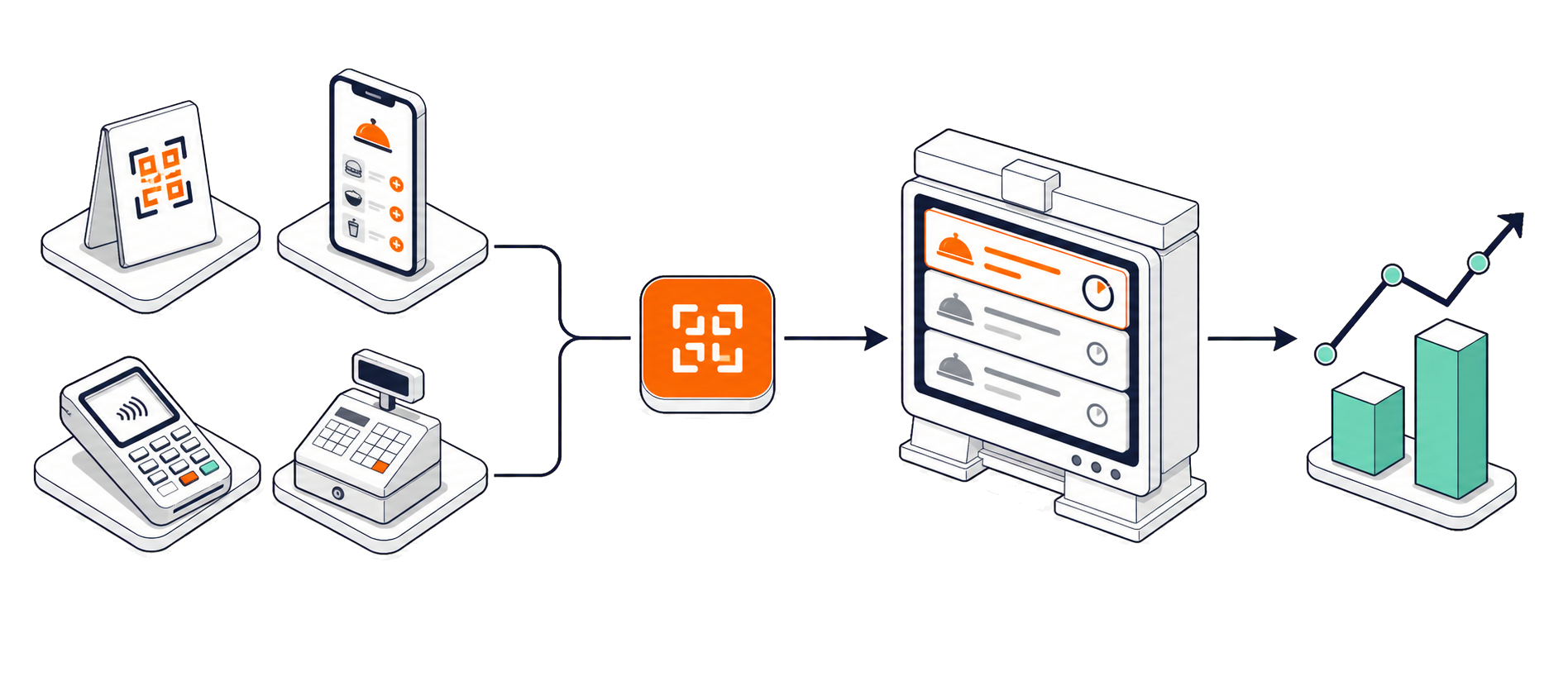
to your first order
setup cost
app-free for guests
free trial
Zahlungen
Secure payments,
straight to your account
Online payments run through Stripe and land in your bank account directly, not with us. Cash remains possible at any time.
Apple Pay
One tap on the iPhone, confirmed with Face ID. No form, no typing.
Google Pay
The same flow on Android: saved card, one tap, done.
Card payment
Visa, Mastercard and Amex, right in the guest's browser and without a terminal.
Cash
Still available: the order is flagged as cash in the kitchen.
Busy hall, calm counter
How JOLOs Kinderwelt got Saturday afternoons under control.
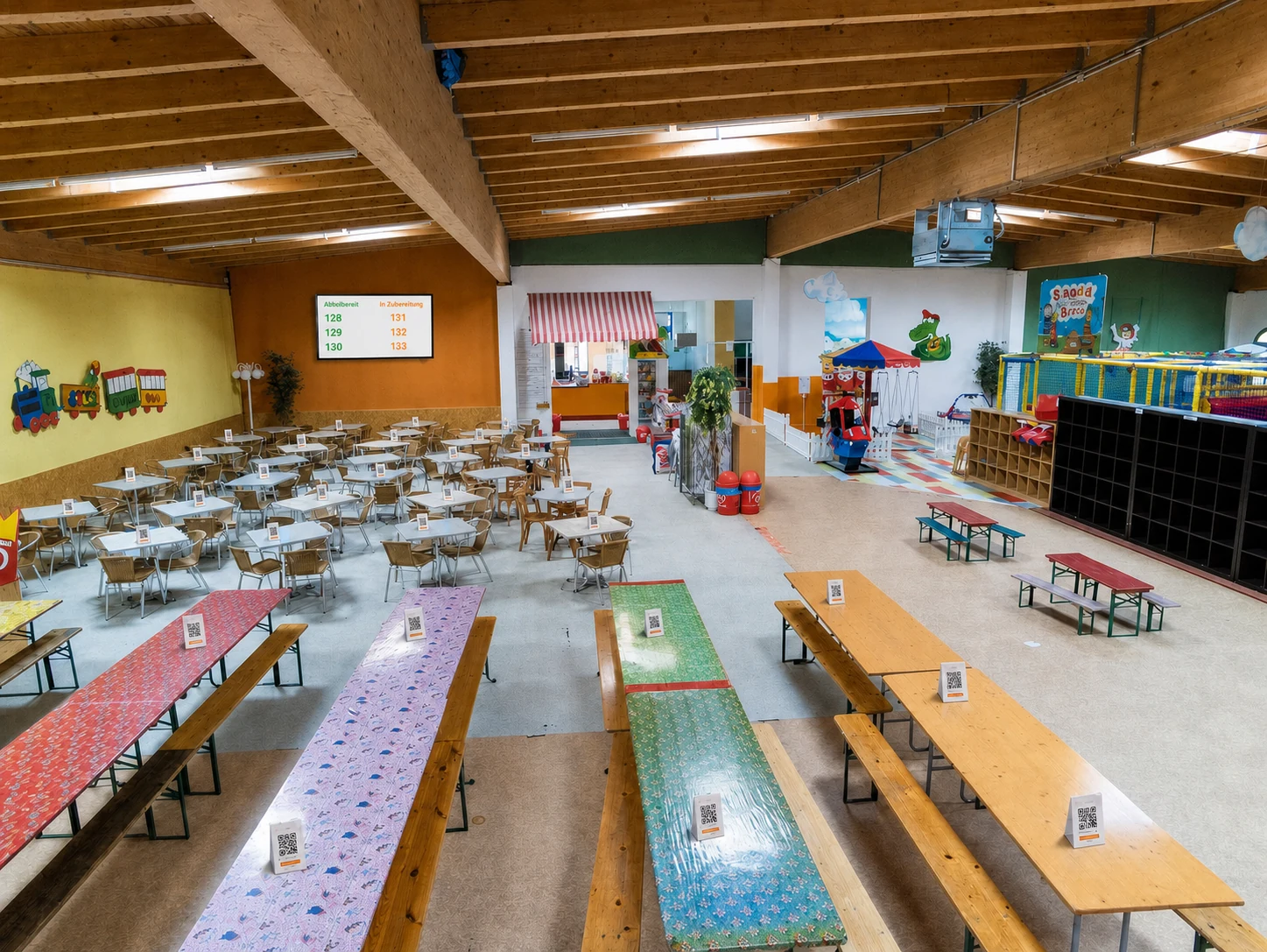
In use
- Ordering and payment right at the table
- QR points on every table and in the party corner
- Live kitchen board at the counter
- Pickup display on a screen in the guest area
Before
At weekends and during children's parties everything went through one counter. Parents queued there instead of sitting with their kids. Anyone who did not fancy the queue simply ordered nothing more.
The switch
Set up in a single morning: menu filled with photos and allergens, QR points created, stands printed, kitchen moved to the live board. Every table has had its own code ever since.
Today
Orders come in from the tables, the kitchen works through them in sequence, finished numbers appear clearly on the screen. The counter is a pickup point again instead of a bottleneck.
For your venue
What gets in the way depends on the venue: the rhythm of the slots, a game in progress, supervising children or simply the distance.
One price, everything in,
no surprises
One price, every feature. No tiers, no limits. We take nothing from your revenue.
Billed monthly, cancel any time to the end of the month.
Online payments: 1.5% + €0.25 Stripe fee per order, which you can pass on to guests if you wish.
Start your 14-day trialOffer exclusively for businesses within the meaning of section 14 of the German Civil Code.
Every feature included
- Unlimited orders and QR points
- Mobile ordering menu with your own branding
- Digital menu for display and website
- Design and print your own QR stands
- Live kitchen board with escalation
- Pickup display for monitor and TV
- Online payment via Stripe and cash
- Set your own service fee
- Allergens, product options and opening hours
- Bundles and upsells
- Anonymous guest feedback
- Staff roles and invitations
- Cancellations and refunds in the dashboard
- Reports on revenue, peak hours and products
The same rush,
two very different shifts
What concretely shifts between the counter, the kitchen and the guest.
Without OrderPark
- Long queues at the counter
- Orders shouted across the room, often misheard
- Paper slips and receipt-roll chaos
- No view of revenue or peak hours
- Guests rarely order again
With OrderPark
 With OrderPark
- Guests order calmly from their table
- Clear digital orders, nothing misheard
- Everything digital and traceable
- Live dashboard with all the numbers
- More reorders, higher average spend
Everything worth knowing
before you start
From setup through payments to the till. The questions operators ask most often.
No. The QR code on the table opens the ordering page directly in the smartphone browser. There is no download, no sign-up and no user account. It works on every iPhone and Android device from recent years, because the camera app recognises QR codes out of the box.
OrderPark costs 79 euros per month, or 59 euros when paid annually, plus VAT in both cases. Every feature is included, regardless of the number of orders, tables or staff members. We take nothing from your revenue. Online payments incur the fees of the payment provider Stripe, currently 1.5 percent plus 25 cents per order.
About 30 minutes until your first order. In that time you create your account, fill the menu with prices and photos, add your logo and colours, generate the QR codes for tables or areas and print the stands. A guided onboarding walks you through the steps one by one.
Directly in the browser, before the order reaches the kitchen. Card payment, Apple Pay and Google Pay are available, handled by the payment provider Stripe. The money goes to your own bank account, not through an intermediary. Alternatively, or in addition, you can enable cash payment, in which case your staff collect at handover as usual.
Guests order over their own mobile connection, so guest Wi-Fi is not a requirement. The ordering page is built for small data volumes and loads even on a weak signal. The kitchen does need a stable connection, because the order board updates in real time. A tablet on a mobile network is enough for that.
No. A QR ordering system is not a cash register and does not replace a certified technical security device under section 146a of the German Fiscal Code. It takes orders and handles payments; the tax record remains the job of your till. OrderPark can pass orders to a connected point-of-sale system, or you export all revenue as CSV for your bookkeeping.
Yes. The labelling obligation for the 14 main allergens and for additives applies whether the menu is printed or digital. In OrderPark you enter the information once on the product, after which it appears at every position in the menu and in the cart. That removes the need for a collective note at the end of the menu.
Anywhere guests stay a while and order again during their visit. That means indoor playgrounds, trampoline parks, bowling alleys and karting tracks, theme parks, beer gardens, beach bars and cafés with a large floor area. The benefit is greatest where the walk to the counter is long or parents would rather not leave their children alone.
Usually yes, because the effort does not grow with size. Even with a handful of tables, digital ordering saves walking and follow-up questions, and the average spend rises through reorders that would otherwise never happen. Since the price is not tiered by order volume, the system pays off even at low turnover.
Yes. You decide whether your venue offers cash, online payment or both, and you can set this differently per QR point. Cash orders appear in the kitchen clearly marked and are flagged as paid by your staff once collected. No service fee is charged on cash payments.
If you want them to, yes. After submitting, every order receives a clearly visible number on the guest's phone. The same number appears on the pickup display on a monitor or TV as soon as the order is ready. You define the number range yourself, or switch the feature off entirely.
Yes, individual items as well as entire orders. If payment was made online, cancelling automatically triggers a partial or full refund through Stripe, with nothing for the guest to do. In the settings you decide whether the service fee is refunded along with it or stays with the venue.
After paying, every guest can leave an anonymous star rating and a short comment. The responses collect in the dashboard, including how they develop over time. That way you see problems before they end up as a public review on Google, and you spot which shifts or areas stand out.
Yes. You get 14 days free with the full feature set, no credit card required and no setup fee. You can cancel at any time. If you would rather see the guest side first, the demo access on orderpark.de leads into a real example venue.
Any questions
before you start?
Tell us what you have in mind. We usually reply the same working day.
Ready for a calmer
operation?
Set up in about 30 minutes. 14 days free, no credit card needed, cancel anytime.